Give every photograph a job
A restaurant photo session is easier to brief when each image has an intended use. A printed menu, delivery listing and website banner may need different compositions and exports. This food photography guide focuses on planning one session for menus and delivery listings, rather than building a monthly social calendar. Start with the dishes and destinations you need, then agree a realistic shoot and delivery scope.
A shot list makes those decisions visible before the kitchen and photographer commit time. It can identify the dishes, angles, crops, backgrounds and versions you want, as well as what remains open for the photographer to recommend. Use the framework below with the team you commission, and adapt it to your menu, venue and intended platforms.
The framework covers four planning tools: choosing priority dishes, mapping images to destinations, coordinating styling and kitchen timing, and defining the handover. Adapt each tool to the menu and team involved, and check that the agreed files work for their intended uses.
Food photography Lebanon: choosing your hero dishes before shoot day
Start with the dishes most relevant to the job. Your ordering records may identify popular items; your team may want to feature signature dishes, a new offer or a particular menu category. Examples could include hummus, shawarma, a grill plate or a dessert, if they belong on your menu. Record why each dish is a priority and which images you need for it, rather than assuming every item needs the same treatment.
Separate the list by destination and check each destination's current requirements. A shared platter for a website banner may need a different composition from an individual delivery item. Preview important dishes at the size customers will see them, and ask whether the whole dish remains clear after cropping. Identify which photographs can serve several uses and which need a separate frame.
Agree the number of dishes with the photographer and kitchen before booking. Allow for preparation, styling, changes of setup, review and the versions required for each item. A few carefully planned priority dishes may be more useful than a larger list the team cannot complete within the session. If the whole menu is needed, ask whether it should be grouped across sessions or use a simpler agreed treatment for selected items.
Shot list and image matrix for Lebanon food photography: angles, crops, and backgrounds by destination
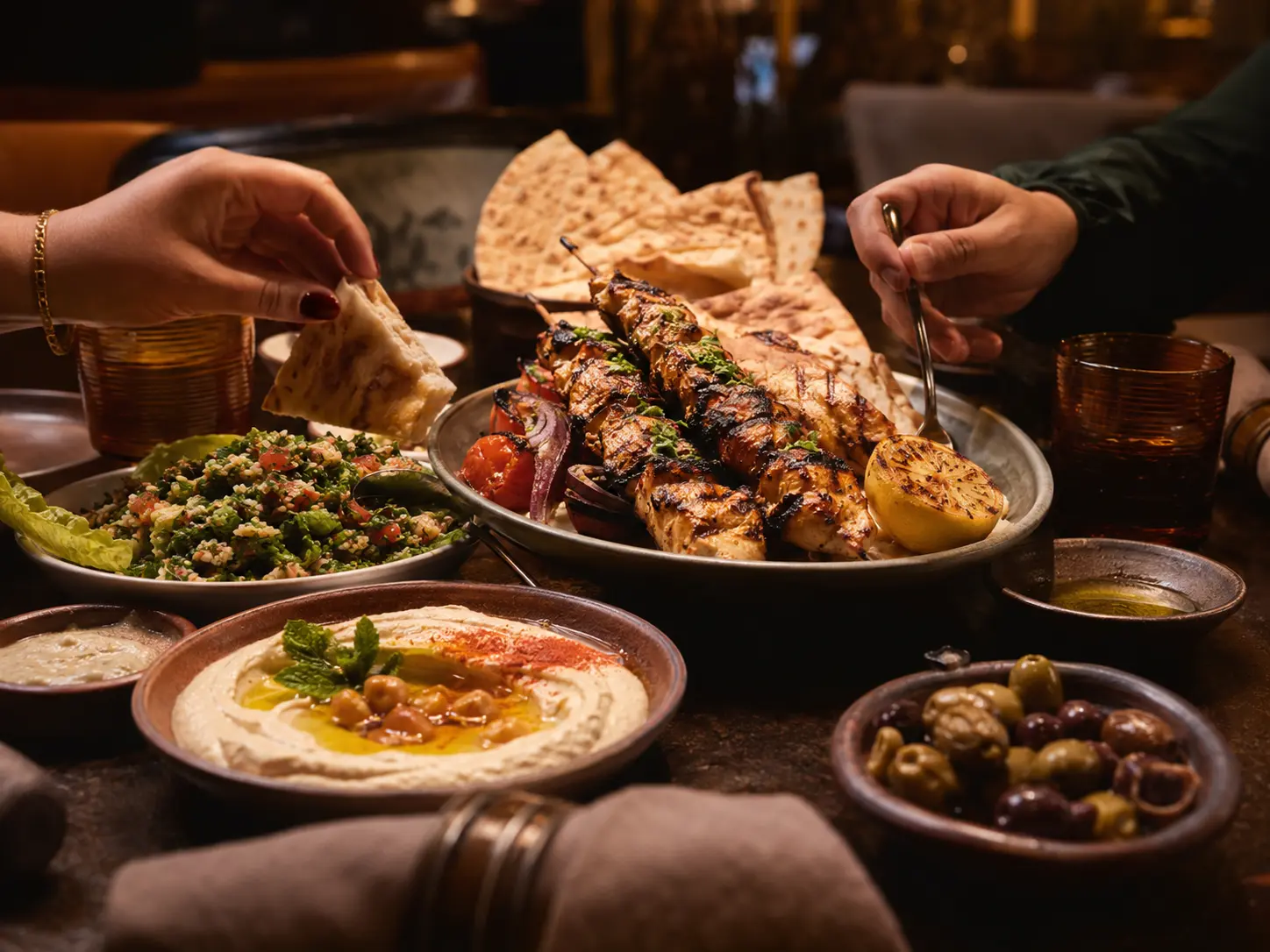
Choose the frames that answer the brief. An angled hero, an overhead view, a close detail or a packaging shot are possible examples, not a minimum package for every dish. A layered sandwich may benefit from a side view, while a platter may need an overhead composition. Decide which views help customers understand the actual item, then record the selected frames in the shot list.
Use an image matrix to connect each selected frame to a destination, crop and background. For example, one row could describe an individual menu item, another a delivery listing and another a wide website banner with room for text. Confirm the required proportions with the printer, developer or platform before shooting. Include whether text will sit beside or over the photograph, and which details must remain visible in a crop.
Choose backgrounds that suit your restaurant and the intended uses. A consistent setup can simplify a menu library; a separate scene may suit a banner or campaign. Possible options include:
- Light clean surface (pale stone or matte white), works for thumbnails and menu grids
- Warm brand surface (wood or the restaurant's own tabletop), works for hero and homepage images
- Dark contrast surface (slate or charcoal), works for bright foods, desserts, and drinks
Test the chosen setups before the first dishes arrive. Check reflections, background distractions and how the food reads in the intended crop. Agree the required image dimensions and exports for each destination instead of applying one universal resolution threshold. Leave room for the photographer to recommend a different setup when a dish needs it.
Truthful styling that holds up when the food arrives
The practical rule for any restaurant food photography shoot is simple: the image must show what the customer receives. Use the actual serving portion in the actual vessel. Don't add extra toppings, oversized proteins, or decorative elements that don't come with the standard order. Apply garnish only using what is already included, and do it immediately before shooting so it photographs fresh rather than wilted.
Check the photograph against the order the restaurant intends to sell. An extra topping, a different vessel or a larger portion can create a mismatch if it is not part of that order. Let the restaurant team confirm the portion, ingredients and presentation before approving the image. If a photograph is meant to illustrate a special variation, make that use clear in the brief and the accompanying menu description.
Side light or back light reveals texture and portion without flattening the dish. Lock your white balance and correct exposure to match reality. Avoid oversaturation, heavy filters, or sharpening that makes ingredients look fresher than they are. Edit for an accurate representation of what arrives, not for the most dramatic possible image.
Kitchen timing and the hot-plate workflow
Discuss a shoot window with the kitchen and front-of-house team. Before opening or during a quieter period may work for some venues; others may need a different arrangement. Identify who coordinates the dish sequence and who approves the presentation. Agree how the session will coexist with service, and keep the team informed if preparation or photography takes longer than planned.
Prepare and test the set before calling for a time-sensitive dish. A stand-in plate can help the photographer check the position, lighting and composition while the kitchen prepares the food. Agree how the team will signal that a dish is ready and who moves it to the set. The appropriate capture window depends on the dish and setup.
Discuss whether grouping dishes by kitchen station or setup would make the session easier to manage. Cold dishes, grill plates and desserts may need different preparation and handling. Let the kitchen identify which items should be prepared close to capture and which can wait. Plan the order with those needs in mind, rather than impose a fixed number of dishes per batch or a cooking and holding schedule.
Usage rights, licensing, and the file handover checklist
Before commissioning the shoot, describe where the images will be used and ask the agreement to cover those uses. Your list might include printed menus, a website, online ordering, delivery listings or paid campaigns. Ask who will check the relevant permissions and what happens if the intended use changes. The appropriate terms depend on the agreement and the material.
Clarify the agreed rights and handover rather than assume copyright, editable files or portfolio use follow a standard arrangement. If printers, developers or delivery account managers will receive the images, identify that workflow in the scope. For a restaurant group, ask whether the agreement covers the intended branches. Resolve unclear usage questions with the relevant rights holder or adviser before relying on the material.
Agree the files you need for each destination and whether a reusable master is included. A naming pattern such as DishName_Destination_Version can help your team identify the right export. Keep a simple inventory of dishes, selected images, intended uses and any agreed conditions. Check the actual platform's current upload guidance with the account manager; do not treat one provider's dimensions, file type or size limit as a standard for every delivery listing.
Bring a clear restaurant photography brief to the discussion
Bring your priority dishes, intended destinations, existing images and preferred shoot window to ClickProduction to discuss a photography scope. Ask what planning, styling, shooting, retouching and exports the proposed engagement would include, and what your restaurant team would provide. If another photographer or supplier is involved, identify those responsibilities so the brief can serve the actual team doing the work.
For a venue in Beirut or elsewhere in Lebanon, include practical location information: the available shooting space, access, power, parking, kitchen hours and any limits on moving tables or equipment. Share photographs of the space if they help the crew plan. Let the photographer and restaurant team assess the actual conditions, rather than assume every venue needs the same setup.
Run the shoot once, use the files everywhere
The planning framework connects four decisions: which dishes matter for this brief, which frames serve each destination, how preparation fits the restaurant's service and how the approved images will be handed over. Put these decisions in writing and review a sample export with the person who will use it. That gives both sides a practical way to check whether the session delivered the agreed work.
A well-planned image library can support several uses, but its value depends on the menu, the images selected and the places they appear. Keep an inventory so the team can reuse suitable files and identify gaps when dishes or requirements change. Plan additional photography when needed rather than assume one session will cover every future use.
Share your menu priorities, intended channels and available shoot window with ClickProduction to discuss the work needed for your restaurant. Use the shot list and image matrix to ask clear questions about scope, preparation and delivery before confirming the session.
Sources and further reading
Adobe: food photography composition and preparation ↗Need help applying this to your business?
Explore the related service ↗